
Three monitors give you room to breathe. You can put your charts on one screen, your watchlist on another, and news or your broker platform on the third. No more constant alt-tabbing. Just look left or right.
The right mount is what makes it work. Three separate stands eat up your whole desk. One good mount clears that space for your keyboard and notepad. It also lines up your screens neatly, which is a lot easier on your neck.
You could get one giant curved monitor. It’s simpler, with no bezels in the way.
But for trading, three separate screens are often better. You can wrap them around you a bit. It’s also easier to snap your apps to three distinct screens. And if one breaks, you only replace that one.
Pick your monitors before you pick the mount. The mount has to hold them.
For most people, three 27-inch screens is the sweet spot. They’re big enough without being too much. Get a 1440p resolution (2560 x 1440). It’s sharper than 1080p and works better than 4K for this size.
Look for an IPS panel. The colors and brightness look consistent from an angle, which matters when you have side screens. A 75Hz refresh rate is fine. You don’t need a fancy gaming monitor.
Most important: make sure your monitor has a VESA mount. That’s the four screw holes in a square on the back. Almost all mounts need this. The standard sizes are 75x75mm or 100x100mm.
For more details, see our guide to the Best 27-Inch Monitors for Day Trading in 2026.
Your computer needs three video outputs. Most modern graphics cards have this. You’ll need three DisplayPort or HDMI ports.
DisplayPort is usually best for 1440p. If you’re on a laptop, you’ll likely need a docking station or adapters.
A basic office PC might struggle. A mid-range graphics card or a modern CPU with good integrated graphics will handle it just fine.
Here’s the main choice. There are two basic types of triple mounts:
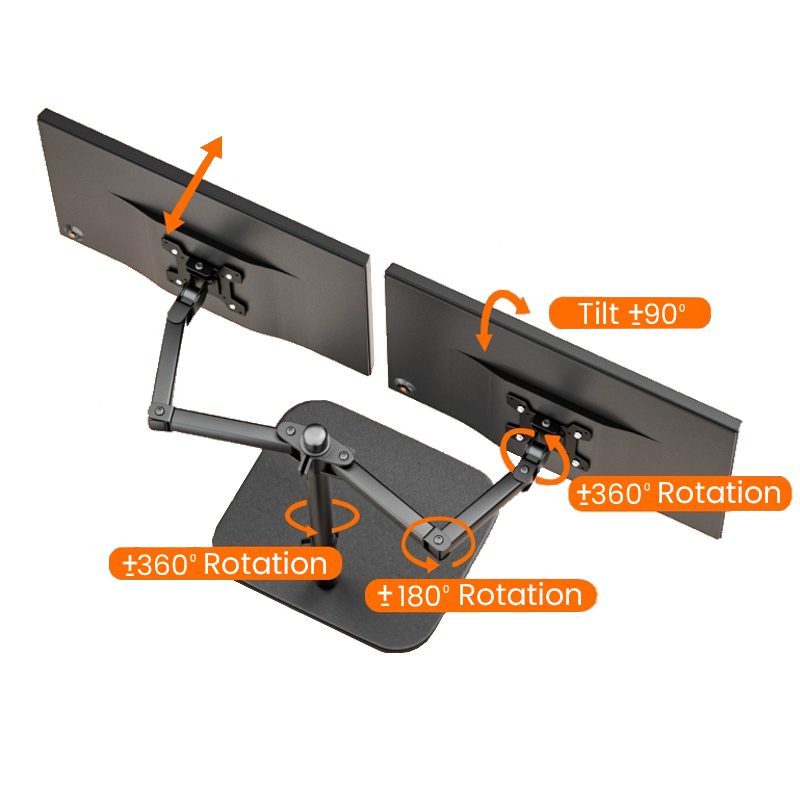
Check the specs. For 27-inch monitors, the mount should support at least 17-22 pounds per arm.
Your desk needs to be deep and strong. A mounted setup brings the screens toward you. A depth of 30 inches or more is comfortable.
Check what it’s made of. Solid wood or metal is good. A cheap particleboard or hollow-core desk might not handle the clamp’s pressure. If you’re worried, look for a mount that can also install through a hole in your desk (a grommet mount).
Measure your desk’s thickness where the clamp goes. Most clamps fit up to about 3 inches. You can look at different monitor mount options here.
A clean setup needs tidy cables. A good mount has clips or channels to run cables down the arm.

You’ll need three video cables. For 1440p, use DisplayPort if you can. Get cables that are long enough-6 to 8 feet gives you slack to route them neatly.
You’ll also have three power cords. A power strip with a long cord helps. Use zip ties or Velcro straps to bundle cables along the mount’s arm. For more tips, see our cables and power section.
Let’s say you have three 27-inch, 1440p monitors. You buy a single pole clamp mount rated for 32-inch screens and 22 pounds each.
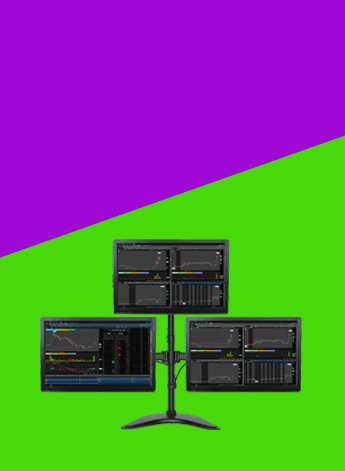
This kind of setup works for most traders who want a clean desk and clear charts without spending too much. It suits people using one or two monitors, a normal desk, and a standard trading platform. If you trade from home and want a practical place to start, this is it.
Two 27-inch monitors are usually the safer choice. You can keep charts on one screen and news, orders, or watchlists on the other. A 34-inch ultrawide can look cleaner, but some people find it harder to arrange windows on one very wide screen.
If you like clear separation between tasks, go with two screens. If you want fewer bezels and a cleaner look, an ultrawide can work well.
You do not need a high-end gaming computer for this kind of setup. You mainly need enough video outputs for the number of screens you want to use. Check for HDMI, DisplayPort, or USB-C before you buy anything.
If you are using a laptop, check how many external displays it can run. Some laptops will only support one or two extra screens unless you use the right dock or adapter.
Before you buy, check your desk depth and the mounting holes on the back of the monitor. A shallow desk can push the screens too close to your face. Most people are more comfortable with enough depth to sit back a little and keep the top of the screen at eye level.
Also make sure your monitor has mounting holes if you want to use an arm. That saves space and makes it easier to line both screens up properly.
If you’re on a tight budget, see 1440p vs 4K for Trading Monitors: Which Resolution Is Best?.
For more on arranging several screens, see Best 27-Inch Monitors for Day Trading in 2026.
Your desk matters too. Best 32-Inch Monitors for Day Trading in 2026 is useful.
You can, but it’s harder. The screens might not line up evenly. For the cleanest look, use three identical monitors. If you must mix, get a mount with very adjustable individual arms.
Yes. Just make sure the clamp is tight and the weight is okay for your desk. Leave extra slack in your cables so they don’t pull when the desk moves up and down.
You get used to them. Try to line up the side monitor bezels behind the center one’s bezel. Some traders run a chart across two screens so the bezel isn’t in a critical spot. Learn more in our article on Choosing the Best Trading Monitors for 2026.
It’s much easier with two people. The parts are heavy. Have someone hold the pole while you tighten the clamp, or help you lift a monitor into place. Just follow the instructions.
Some triple mounts have an add-on for a top screen. If yours doesn’t, you’d need a separate single arm mounted behind the main setup. Make sure your desk can handle the weight and that you don’t mind looking up.
A good triple monitor mount turns a messy desk into an organized workspace. The key is to match the mount to your monitors and your desk. Pay attention to weight limits, VESA compatibility, and how sturdy your desk is.
You don’t need the most expensive one. A solid single-pole stand works great for most traders with three 27-inch screens. Take your time setting it up, manage the cables, and you’ll have a clean setup that helps you work better.