
A shallow desk puts your monitors right in your face. That causes eye strain and makes you crane your neck to see everything. You lose focus fast.
A deeper desk lets you push your screens back to a comfortable distance. Your posture gets better, you can see your charts easily, and you have actual space for your keyboard and mouse. It’s a simple fix for a better trading day.
The monitors you pick decide how deep your desk needs to be. Bigger screens need more room.
For most people, a 27-inch monitor is the right choice. It’s big enough without being huge. You can fit two or three on a normal desk. A 1440p resolution on a 27-inch screen looks sharp and gives you space for multiple charts.
If you want one big screen, a 32-inch or an ultrawide works. Just remember, these need a deeper desk. You have to sit farther back to see the whole thing comfortably.
You can see our picks for screens and monitors to check specific sizes.
Here are the basic numbers based on your screen setup.
These numbers assume you’re using the stand that comes with the monitor. A monitor arm changes things, which we’ll talk about next.
A monitor mount is the best upgrade for your desk. It clamps to the back and holds your screen on an arm.
This lets you place the monitor exactly where you want it. You can push it back to save space or adjust the height. It also gets the bulky stand off your desk, freeing up the whole surface.
With a good monitor mount, you can sometimes get away with a shallower desk. A 24-inch deep desk might work for a bigger setup if the screens are mounted and pushed back.
Before you buy a mount, check your desk’s thickness and how sturdy it is. Most clamps fit desks up to 3 inches thick. A wobbly desk will make your screens shake, which is annoying and hard on the gear.
A tidy desk feels bigger and helps you concentrate. Cable management is part of that.
First, check the ports on your monitors and computer. Most use HDMI or DisplayPort. Get cables that can handle your monitor’s resolution.
Use clips, ties, or a sleeve to bundle cables behind the desk. If your monitor has a USB hub, plug your keyboard and mouse into it. That cuts down on cables running to your computer. For more complex setups, a good adapter or hub can help organize your cables and power.
Your computer needs to run all your screens. For trading, you don’t need a powerful gaming graphics card. A modern mid-range card or a good integrated GPU is usually enough for two 1440p monitors.
The practical issue is having enough video outputs. Make sure your computer has the HDMI or DisplayPort ports you need. If you’re short, you might need a docking station or a different graphics card.
This is a common question.
Two separate monitors give you a clear split between workspaces. You can put your trading platform on one and everything else on the other. They’re often cheaper than a good ultrawide.
A single ultrawide gives you one wide, simple screen. It’s great for a very wide chart or lining up several windows. The catch is that some software doesn’t handle one wide screen as well as separate displays.
For desk depth, a 34-inch ultrawide needs about the same room as two 27-inch monitors. A huge 49-inch model needs a deep desk-at least 30 inches, and 36 is better.
Here’s a common, practical setup. You have two 27-inch, 1440p monitors. You get a sturdy desk that’s 30 inches deep and 60 inches wide.
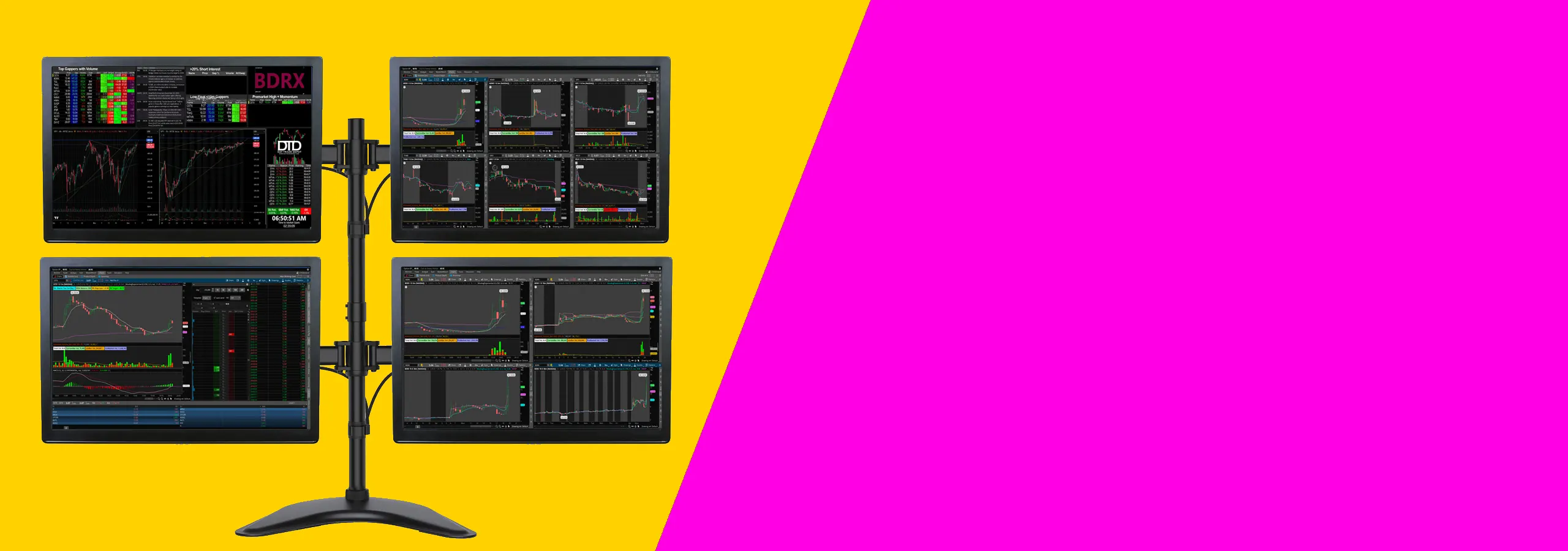
You add a dual monitor arm, clamped to the middle of the desk back. You mount both monitors with about an inch between them. You push them back so the screens are about 24 inches from your eyes.
This leaves the whole 30-inch depth of the desk free in front of the monitors. Your keyboard and mouse fit easily, with room left for a notebook or a drink. The desk feels open, not cramped.
This kind of setup works for most traders who want a clean desk and clear charts without spending too much. It suits people using one or two monitors, a normal desk, and a standard trading platform. If you trade from home and want a practical place to start, this is it.
You do not need a high-end gaming computer for this kind of setup. You mainly need enough video outputs for the number of screens you want to use. Check for HDMI, DisplayPort, or USB-C before you buy anything.
If you are using a laptop, check how many external displays it can run. Some laptops will only support one or two extra screens unless you use the right dock or adapter.
Before you buy, check your desk depth and the mounting holes on the back of the monitor. A shallow desk can push the screens too close to your face. Most people are more comfortable with enough depth to sit back a little and keep the top of the screen at eye level.
Also make sure your monitor has mounting holes if you want to use an arm. That saves space and makes it easier to line both screens up properly.
If you’re on a tight budget, see 1440p vs 4K for Trading Monitors: Which Resolution Is Best?.
For more on arranging several screens, see Best 27-Inch Monitors for Day Trading in 2026.
Your desk matters too. Best 32-Inch Monitors for Day Trading in 2026 is useful.
It can work with one monitor and a slim stand, or if you use a monitor arm. For two monitors on their stands, 24 inches is almost always too shallow.
Yes, but focus on stability. When it’s raised, the desk shouldn’t wobble when you type. Look for stable models and still aim for at least 30 inches of depth for multiple screens.
About 20 to 30 inches is good. With a 30-inch deep desk, you can sit roughly 24 inches away comfortably.
That’s fine. A monitor arm is useful here because you can push the screen back near the wall, freeing up desk space in front. Just make sure the arm can adjust to the right position.
Not really. Follow the same guidelines. A curved screen might feel better a bit closer, but you still don’t want to be right on top of it. Use 30 inches of depth for a dual curved setup.
The right desk depth makes everything else work. It’s not glamorous, but it’s the foundation. For most traders with two monitors, a 30-inch deep desk is the sweet spot.
Add a monitor arm, and you’ll have a comfortable, clean space that lets you focus. Measure your room, think about your screens, and choose a desk that gives you room to work. Happy trading.