
Your monitor is your main tool. You look at it all day, making quick calls based on what you see. A bad screen can cause eye strain and headaches, and you might even miss a move. A good 27-inch monitor gives you the right amount of space to put your charts, watchlists, and news side-by-side. It’s a common size, so you get good prices and lots of choices. This isn’t about flashy tech. It’s about finding a reliable, comfortable screen that lets you focus on trading.
Ignore the marketing. Focus on these specs. They affect your comfort and how much work you can get done.
Look for 2560 x 1440 pixels, called QHD or 1440p. It’s the best fit for a 27-inch screen. Text is sharper and you have more room than on a 1080p monitor. 4K is an option, but it often causes problems. Everything gets too small, and software scaling can make your trading platform look blurry. 1440p is clear and doesn’t stress your computer. For more details, see our guide on 1440p vs 4K for Trading Monitors.
Get a monitor with an IPS panel. The big win is the viewing angles. The colors and brightness look the same even if you look from the side. This is key if you use two monitors, because the image won’t wash out on the edges. IPS panels have good enough color for charts and numbers.
You don’t need a 240Hz gaming monitor. But a bump from the standard 60Hz helps. Aim for 75Hz or 100Hz. Scrolling through data and moving windows will feel smoother. That smoother motion cuts down on eye strain during long sessions. Anything over 100Hz costs more but doesn’t help much for trading.
Look for a brightness rating of at least 300 nits. This fights glare from windows or lights. More important, always choose a matte, anti-glare finish. A glossy screen looks vibrant in the store, but under office lights it turns into a mirror. A matte finish scatters the light so you can see clearly.
Ergonomics matter. You need a stand that adjusts for height, tilt, and swivel. It lets you put the top of the screen at eye level, which keeps your neck comfortable. If the included stand doesn’t adjust, plan to buy a separate monitor arm or stand. It’s a must for long-term comfort.
This is a big choice. Two 27-inch monitors give you a clean split between apps. You can put your trading platform on one and your research on the other. It’s simple and organized. A single ultrawide monitor gives you one wide screen without a bezel in the middle. But you have to manage windows more carefully. For most traders, especially when starting out, two standard monitors is the easier, more flexible choice. Learn more in our guide to the Best Monitor Size for Day Trading.
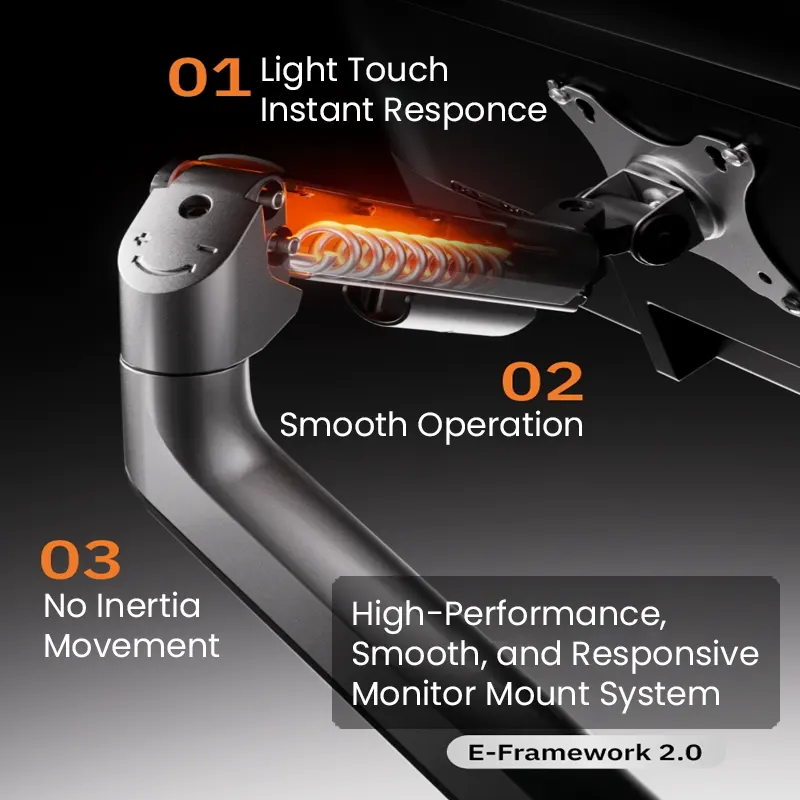
You don’t have to use the stand that comes in the box. A monitor arm can change your setup. A single arm lets you position your screen perfectly. A dual monitor arm holds two screens with one clamp, saving desk space and giving you a clean look. When you set up, put the monitors so the top is at eye level, about an arm’s length away, and angle them slightly inward. This is the most comfortable position.
Use the right cable to get the best performance. For a 1440p monitor at 75Hz or 100Hz, use a modern HDMI cable (HDMI 2.0 or later) or, better yet, a DisplayPort cable (DisplayPort 1.2 or higher). DisplayPort is usually more reliable. Also, check your computer’s ports. If you’re connecting two monitors to a laptop, you might need a docking station. Plan your connections before you buy. Our guide on adapters and hubs can help. Use clips or sleeves to keep cables tidy. See our cables and power section for ideas.

Here’s a typical, effective build. Buy two identical 27-inch IPS monitors with 1440p and 75Hz refresh rates. Your desk is 60 inches wide, so you get a dual monitor arm to save space and adjust everything. Connect both monitors to your laptop with a docking station that has two DisplayPort outputs, using good DisplayPort cables. Adjust the arms to get the height and distance right. The total cost is reasonable, and you get a clean, functional trading desk that won’t cause fatigue.
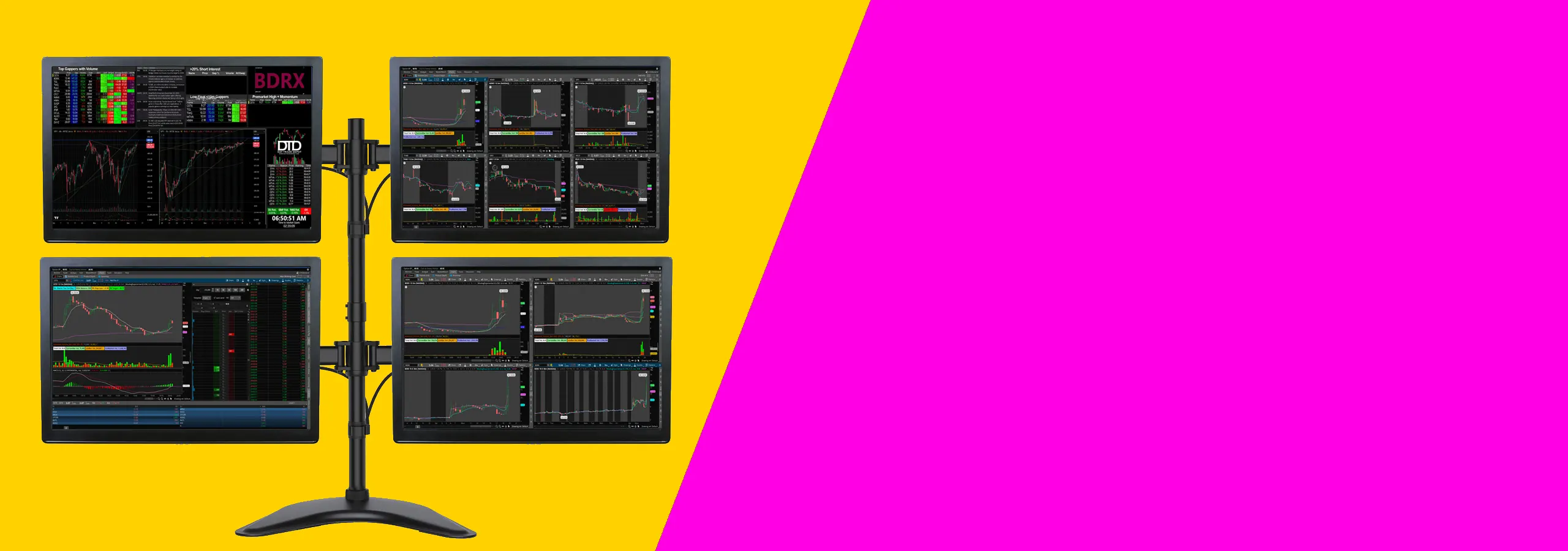
This kind of setup works for most traders who want a clean desk and clear charts without spending too much. It suits people using one or two monitors, a normal desk, and a standard trading platform. If you trade from home and want a practical place to start, this is it.
You do not need a high-end gaming computer for this kind of setup. You mainly need enough video outputs for the number of screens you want to use. Check for HDMI, DisplayPort, or USB-C before you buy anything.
If you are using a laptop, check how many external displays it can run. Some laptops will only support one or two extra screens unless you use the right dock or adapter.
Before you buy, check your desk depth and the mounting holes on the back of the monitor. A shallow desk can push the screens too close to your face. Most people are more comfortable with enough depth to sit back a little and keep the top of the screen at eye level.
Also make sure your monitor has mounting holes if you want to use an arm. That saves space and makes it easier to line both screens up properly.
If you’re on a tight budget, see Best Budget Monitors for Day Traders in 2026.
For more on arranging several screens, see Choosing the Best Trading Monitors for 2026.
Your desk matters too. Best Monitor Size for Day Trading: 27 vs 32 vs 34 Inches is useful.
Yes. One 27-inch monitor gives you plenty of space for multiple windows. Two of them is a powerful, common professional setup. It’s the right balance of screen space, desk size, and cost.
On a 27-inch screen, 4K makes everything tiny. You can scale it up, but some apps get fuzzy. For trading, the extra sharpness isn’t worth the hassle or the extra load on your computer. 1440p is the simpler, better choice.
No. High refresh rates are for gaming. A modest upgrade from 60Hz to 75Hz or 100Hz makes scrolling and moving windows smoother, which helps with eye strain. Going over 100Hz costs more but doesn’t help much for trading.
Not very. You need consistent, comfortable colors, not perfect ones. Any modern IPS panel is good enough to see lines on a chart. Don’t pay extra for professional color specs.
You can, but the curve on a 27-inch screen is very slight. It doesn’t wrap around like a bigger ultrawide. For a single 27-inch screen, a flat panel is fine and usually cheaper. The benefit is minimal.
Many good brands sell 27-inch 1440p IPS monitors at reasonable prices. Watch for sales at major retailers. For specific models, see our article on the Best Budget Monitors for Day Traders in 2026.
The best 27-inch monitor for day trading isn’t the most expensive one. It’s the one that gives you a clear, comfortable view. Focus on a 1440p IPS screen with a matte finish, 75Hz+, and good adjustability. Add a sensible mount and the right cables. You’ll have a setup that works for long hours without extra cost or complexity. Your gear should help you focus on the markets, not get in the way. This is how you do it.
Further Reading: For more details, check out: Choosing the Best Trading Monitors for 2026 and 1440p vs 4K for Trading Monitors: Which Resolution Is Best?