
A good setup isn’t just for looks. It helps you trade better. The right monitor gives you room to see charts, watchlists, and news all at once. You’ll switch tabs less and miss fewer moves. A comfortable setup also keeps you focused and less tired during the trading day. Think of it as your command center. You want everything in sight and easy to reach.
Your main choice is between a standard widescreen and an ultrawide. A 34-inch screen is usually an ultrawide, which gives you a much wider view. Let’s look at the three options.

A 27-inch monitor with a 2560×1440 resolution (1440p or QHD) is the sweet spot for most traders. The screen is sharp, so text and charts look clear. You can easily fit two or three windows side-by-side-like a chart, your trading platform, and a news feed. These monitors are common, affordable, and fit on most desks. If you’re moving from a laptop or a smaller screen, this is a safe and effective upgrade.
A 32-inch monitor gives you more physical space. At 1440p, everything looks a bit bigger than on a 27-inch, which can be easier to see if you sit farther back. It’s great for viewing multiple charts at the same time. The downside is size. It takes up a lot of desk space. At this size, you might want a 4K resolution to keep things sharp, but that requires a more powerful computer. This is a good pick if you have a deep desk and want one large screen.
A 34-inch ultrawide (usually 3440×1440 resolution) is like having two 27-inch screens without the bezel in the middle. It creates a smooth, wide workspace. You can keep a main chart, a watchlist, a level II window, and a browser open without them overlapping. The workflow feels natural. The main issue is width. You need a deep desk or a monitor arm so you’re not constantly turning your head. You may also want software to help manage windows on such a wide screen.
This is a common question. Two separate monitors (like two 27-inch screens) give you clear separation for different tasks-charts on one, your trading platform on the other. It’s flexible and straightforward. A single 34-inch ultrawide looks cleaner with fewer cables. But it acts as one very wide display, not two separate ones. For most traders, both work well. Two monitors are practical. An ultrawide is more immersive. Learn more in our guide to the best screens and monitors.
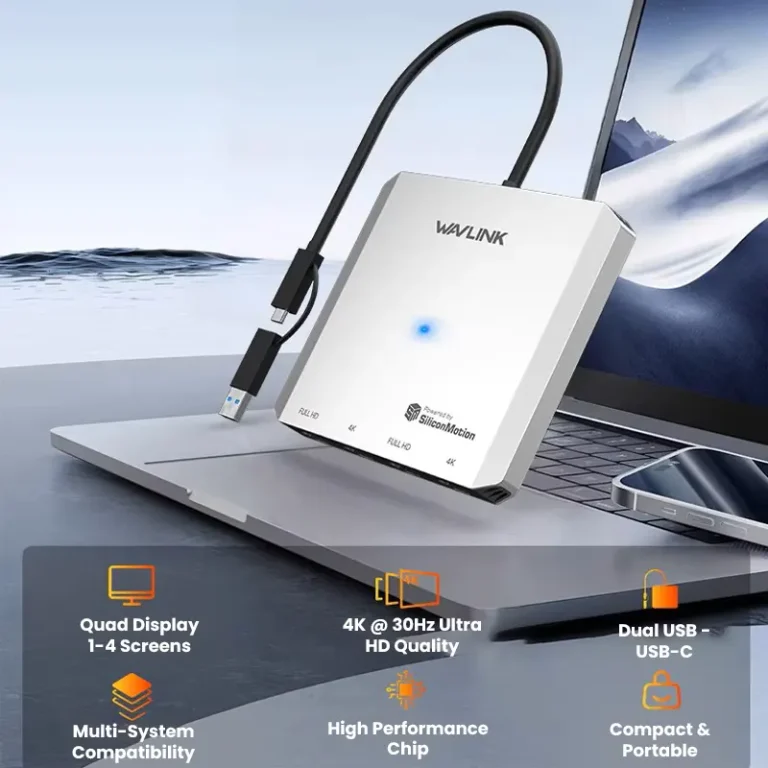
Your monitor is only as good as the computer behind it. For a single 27-inch or 34-inch 1440p monitor, most modern laptops are fine. If you want a 32-inch 4K display, multiple 1440p monitors, or a high-refresh-rate ultrawide, you’ll likely need a computer with a dedicated graphics card. Always check your computer’s video outputs (HDMI, DisplayPort) against the monitor’s inputs. You might need an adapter or hub.
Before buying a big monitor, measure your desk depth. Putting a 32-inch or 34-inch screen on a shallow desk (less than 30 inches deep) will put it too close to your face. This causes eye strain and neck pain. A monitor arm is the best fix. A good monitor mount lets you push the screen back, free up desk space, and adjust the height and tilt for comfort. It’s an upgrade worth making.

Use the right cable for your monitor. For 1440p resolutions, especially above 60Hz, a DisplayPort cable is usually better than HDMI. Most monitors come with a cable, but it might be short. Plan your cable management early. A simple cable sleeve or some velcro ties can tidy up your desk and make it easier to work.
Here’s a practical setup many traders use: Two 27-inch, 1440p, IPS monitors on a dual monitor arm. The desk is 30 inches deep. They’re connected to a desktop PC with a mid-range graphics card. The trader keeps charting software on the left monitor and the brokerage platform on the right. This gives clear task separation, plenty of screen space, and a comfortable viewing distance-all without a huge cost.

Yes. A single 27-inch 1440p monitor is a huge upgrade from a laptop and gives you plenty of space. Using two of them is one of the most popular and capable setups.
It depends on your desk depth. On a standard shallow desk (about 24 inches), a 32-inch monitor will feel too close. With a deeper desk (30+ inches) or a monitor arm to push it back, it can work very well.
Look for 3440×1440 (UWQHD). This is the standard and offers a great mix of sharpness and performance. 4K ultrawides exist but cost more and need a powerful computer.
We don’t recommend it. TVs are made for watching video, not for desktop use. They often have higher input lag (making your mouse feel slow), worse text clarity, and features that can interfere with charts.
It’s nice to have, but not essential. A refresh rate of 75Hz or 100Hz makes scrolling look smoother than the standard 60Hz, which can reduce eye strain. You don’t need a high-end gaming monitor, but a modest bump improves the feel of your workspace.
Picking the best monitor size comes down to your space, budget, and preference. The 27-inch is the reliable, versatile choice that fits almost anywhere. The 34-inch ultrawide gives you a seamless, wide workflow. The 32-inch is a large canvas if you have the room.
Remember, the monitor is just one part. Pairing it with a good monitor arm for proper placement is often the key to comfort. Start with what fits your desk and budget. A well-chosen single monitor is a powerful tool, and you can always add a second one later. The goal is to build a setup that lets you focus on trading, not on your gear.