
More screen space means you can see more at once. You can keep your trading platform, charts, news, and watchlists all open. You stop wasting time switching between windows and can focus on the market.
An ultrawide replaces two monitors with one screen. You get rid of the annoying black bar in the middle. Your desk looks cleaner with fewer cables. The curved screen is important-it wraps the image around you so you can see the edges without turning your head. It just feels more natural for looking at long charts.
Think about how you work, though. Some traders like having separate screens for different tasks. An ultrawide puts everything together. Make sure that works for you.
Let’s cut through the jargon and talk about what really helps you trade.
Stick with a 34-inch screen. The 3440×1440 resolution is perfect. It gives you plenty of sharp space for multiple windows. It’s also easier on your computer than a 4K screen, so you probably won’t need to upgrade.
You’ll see bigger 38-inch and 49-inch models. A 49-inch is like two screens in one. It’s huge, expensive, and needs a powerful computer. For most people, the 34-inch is the best balance of size, price, and performance.
For trading, always choose an IPS panel. The colors and brightness look the same no matter what angle you view it from. If you lean to the side, your chart won’t get dark or change color. This is essential for reading charts accurately.
This is how smooth the screen feels. A standard 60Hz screen is fine, but a 100Hz, 120Hz, or 144Hz screen is much better. Scrolling and moving windows feels fluid, which is easier on your eyes during long sessions. Once you try it, you won’t want to go back.
The curve is measured with an ‘R’ number, like 1800R. A lower number means a tighter curve. For a 34-inch monitor, a curve between 1800R and 1500R is good. It brings the edges closer. Don’t buy a flat ultrawide over 30 inches-you’ll be moving your head all day.
A good stand that adjusts for height and tilt is key for comfort. Many stands are big and clunky. If yours is, plan to get a good monitor arm. It’s worth it.
An ultrawide is big. Your desk needs to handle it.
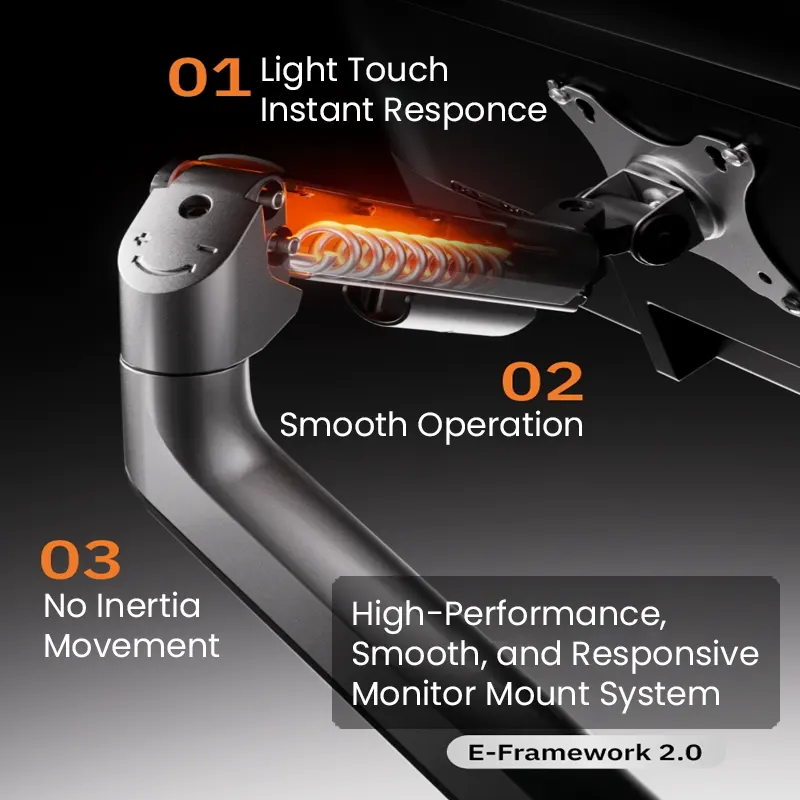
A monitor arm is a great idea. It saves desk space and lets you position the screen exactly where you want it. Important: Make sure the arm can hold your monitor’s weight. A typical 34-inch screen needs an arm rated for at least 17-25 pounds. Check that your monitor has a VESA mount (usually 100x100mm).
Desk depth matters. You need to sit back to see the whole screen comfortably. If your desk is shallow (under 30 inches deep), a monitor arm can help push the screen back. Try to sit about an arm’s length away.
Make sure your desk is solid. A wobbly desk will make a big screen shake when you type, which is very distracting.
Don’t mess this up. You need the right cable to get the best performance.

For a 3440×1440 screen at 100Hz or more, use DisplayPort. A DisplayPort 1.4 cable works perfectly. Try the cable that comes with the monitor first. If you need a longer one, buy a certified “High-Speed” cable from a good brand.
HDMI can work, but you need the right version. Older HDMI 1.4 might only give you 50Hz, which isn’t smooth. You need HDMI 2.0 or 2.1. Check your computer and monitor manuals.
Look at your computer’s ports. Most new desktops and laptops have DisplayPort or HDMI 2.0. If you have a laptop with only USB-C, that’s good-one cable can often handle video and charging for a clean setup.
If your computer doesn’t have the right port, you’ll need an adapter. Don’t buy a cheap one. Get a reliable adapter from a known brand. Our guides on adapters and hubs and cable management can help.
Here’s what a good, practical trading desk looks like:
This setup is clean, efficient, and puts everything you need right in front of you.
It depends. An ultrawide gives you one simple view. Two monitors create a physical separation some traders prefer. The ultrawide is simpler and cleaner.
For most traders, 34 inches is ideal. It gives you plenty of space without being too big or expensive.
You don’t need a gaming card, but you need a decent one. Most dedicated GPUs from the last few years will work. Just check it supports your monitor’s resolution and refresh rate.
Yes. Most laptops use USB-C or HDMI. A USB-C cable can often handle video and charging with one connection.
No. Most people adjust in minutes. The curve matches your natural vision and reduces strain.
First, make sure your computer is set to the monitor’s native resolution (3440×1440). Second, adjust the scaling settings. Third, use a good DisplayPort cable and update your graphics drivers.
If you’re weighing your options, these guides might help:
Best 27-Inch Monitors for Day Trading in 2026 – if you prefer a standard dual-monitor setup.
Best 32-Inch Monitors for Day Trading in 2026 – for a larger single screen.
Best Budget Monitors for Day Traders in 2026 – for cost-effective choices.
Pick a 34-inch ultrawide with a 3440×1440 IPS panel and a refresh rate of 100Hz or higher. Get one with a sensible curve. Support it with a good mount and connect it with the right cable.
This setup gives you a wide, clear, and smooth workspace. It can help you focus and reduce strain. You don’t need the biggest or most expensive screen. You need a reliable one that fits your desk and your way of working.
Check the specs that matter. A good monitor is a tool you’ll use every day. Getting it right now will make your trading easier for years.