What you get
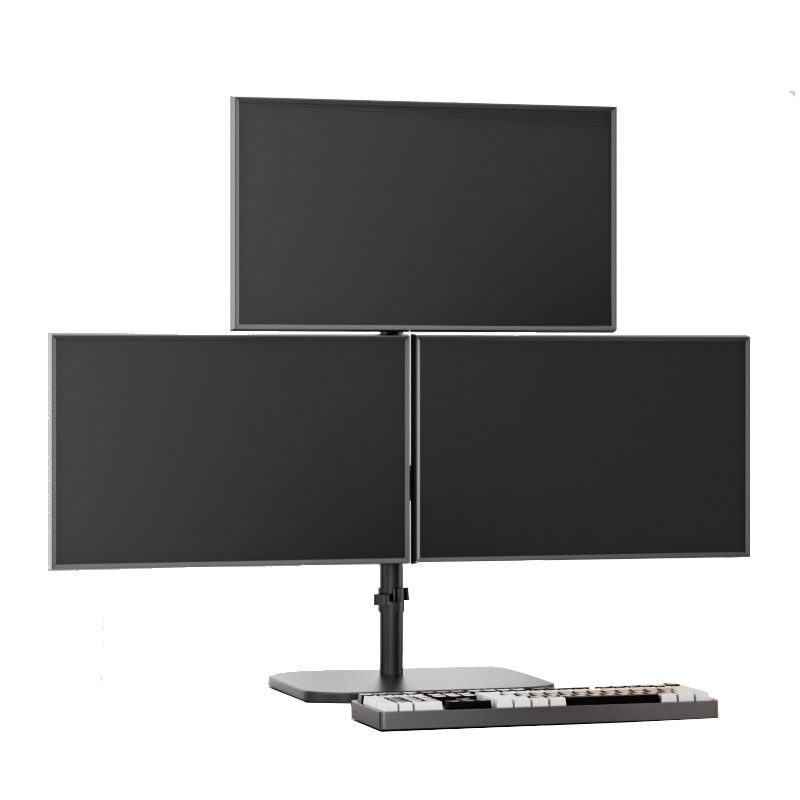
You get a cleaner 3-screen layout around your laptop, with screens on the left, center, and right. You stop relying on separate monitor bases that eat desk space.
This triple screen laptop mount is built for laptop-first desks where you want three displays aligned in one setup. If you are searching for a triple monitor laptop mount or a 3 monitor laptop mount, it is the same idea, one system that holds your screens in position.
This is a mount-only product. Laptop and monitors are not included.
It fits a multi-monitor workstation workflow. You can keep charts open, keep a scanner visible, and keep order tools ready without constantly moving windows around.
If you use portable displays, it can also be part of a portable monitor mount setup. Just confirm screen weight and mounting holes first.
If you plan to grow later, treat this as a step before a six screen mount. A lot of traders start with three screens, then expand once their desk and workflow are dialed in.
It also pairs well with a trading desk mount approach where you keep your desk surface clear and keep screens closer to eye level.
Browse matching options in Desk Arms & Mounts, add leads from Cables & Connectivity, and choose displays in Screens & Monitors.
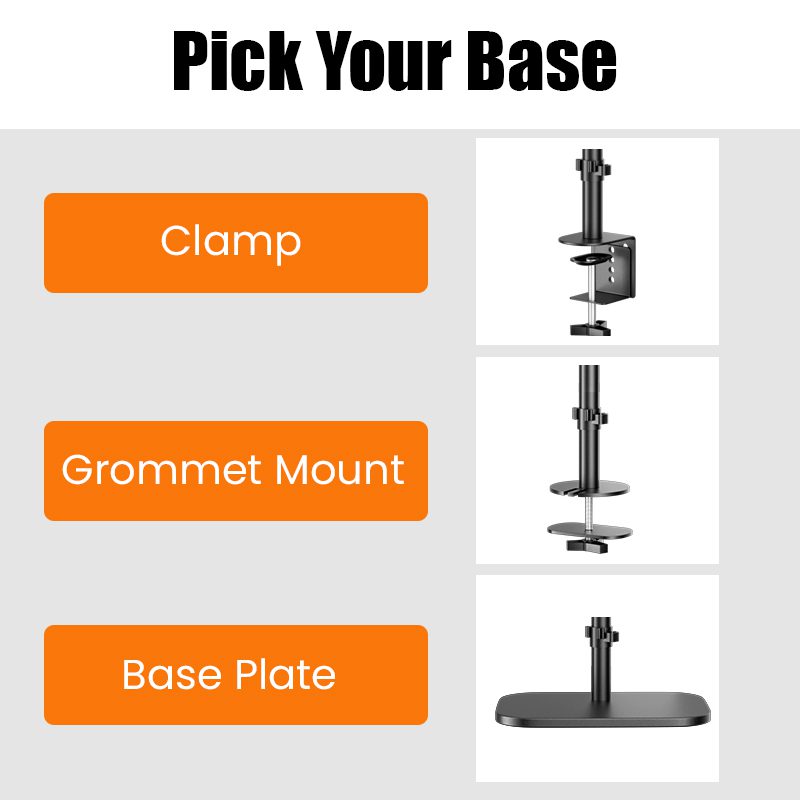
Choose your base type
Pick the base that matches your desk and how permanent you want the install to be.
- Clamp: fast desk-edge install with no drilling
- Grommet mount: bolt-through mounting for a clean install and strong hold
- Base plate: freestanding weighted base for desks where clamping or drilling is not a fit
If you move your setup often, the base plate can be the easiest to live with. If you want maximum rigidity, grommet mounting is usually the most stable option.
Compatibility checks
Before you install, confirm your monitors match the mounting hardware and your desk can support the base you choose.
- Check your screens for 75×75mm and 100×100mm mounting hole patterns
- Check each monitor weight, including any adapters you plan to use
- Check desk thickness for a clamp, or hole clearance for a grommet mount
If you plan to use it as a triple monitor stand for laptop, measure your laptop width and decide where it will sit. Many people place the laptop under the center screen. Others place it between the left and center screens, depending on how wide the desk is.
Adjustment and comfort
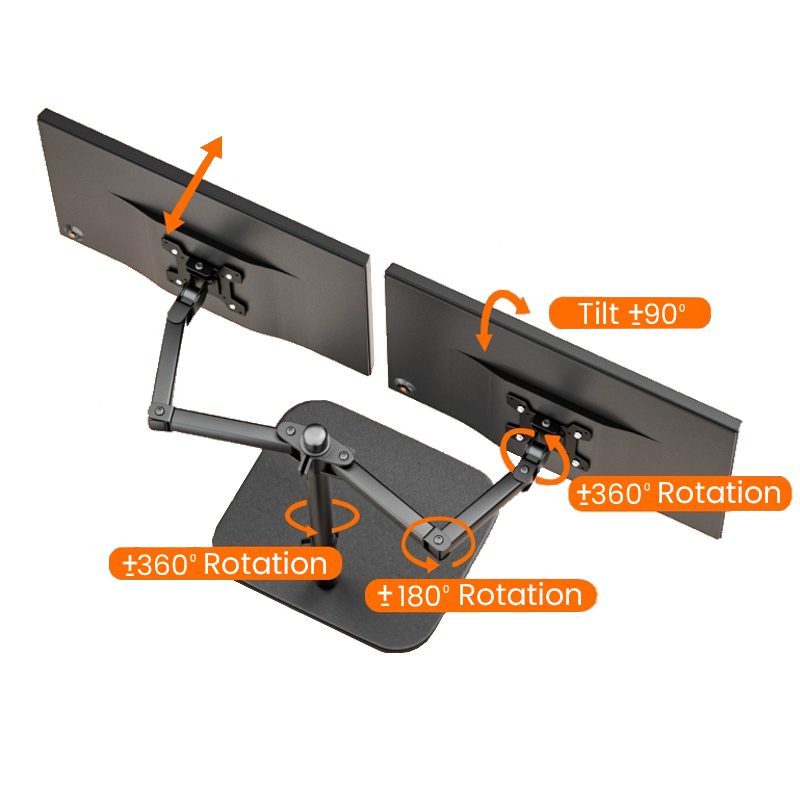
Each arm supports tilt, swivel, and rotation so you can dial in viewing angles. You can run a flat wall of screens or angle the outer monitors toward you.
With three monitors, the center screen should sit straight in front of you. The side screens should be close enough that you are not constantly turning your neck.
Example layout: keep your primary chart on the center screen, put your watchlist and scanner on the left, then keep news and order tools on the right. It is a simple way to use a triple monitor laptop mount without wasting space.
Setup tips
- Install the base first, then add the center arm, then add the left and right arms
- Mount the center monitor first so you can set height and balance before adding the side screens
- Route power and video leads before final tightening so cables do not pull on the arms
If you use portable screens that do not have mounting holes, you may need a model-specific adapter. Confirm that before you buy extra hardware.
What is included
- Triple-screen mount structure, 3-arm configuration for left, center, right
- Base type selected at checkout, Clamp or Grommet mount or Base plate
- Standard mounting hardware included with the mount
Note: monitors and laptop are not included.
Next step
Next step: check your desk for the right base option, confirm 75×75mm and 100×100mm mounting hole patterns on your monitors, then plan your cable runs from Cables & Connectivity before you lock the arms in place.
If you want to share your monitor models, you can verify weight and mounting holes before you install. That helps keep the setup clean and stable from day one.