Overview
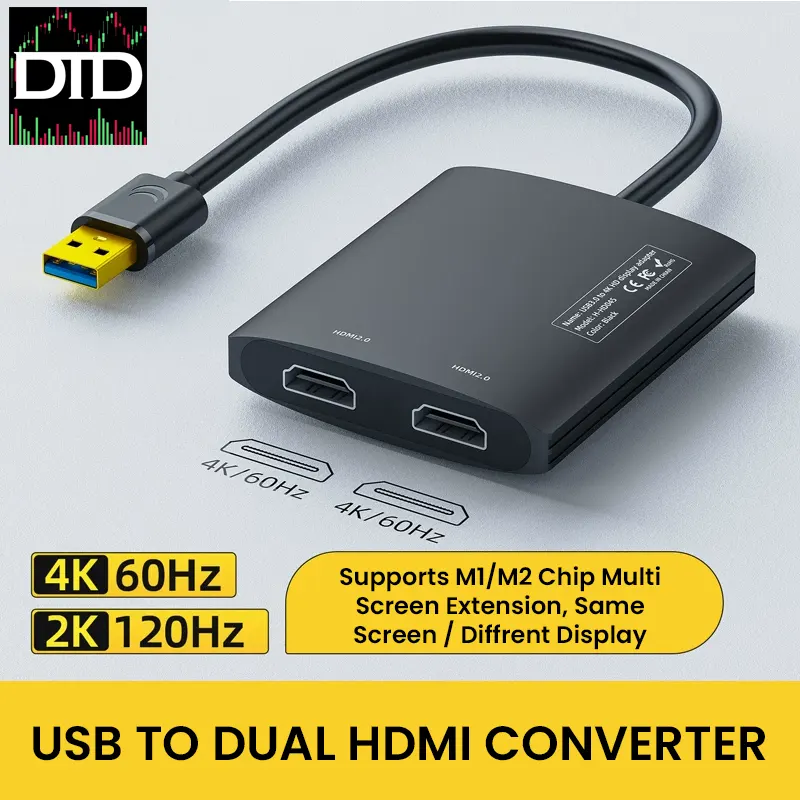
The Nexhype USB to dual HDMI adapter adds two external screens from one USB connection.
It uses a DisplayLink USB graphics adapter, so you can run a stable multi-monitor workstation for charts, scanners, news, and order entry.
If you are building a clean desk, this helps.
You run one USB cable to your computer, then keep both HDMI runs on the desk side.
That usually makes cable routing simpler.
This can also help on systems that limit extra displays.
Some MacBook M1 and M2 models struggle with multiple external monitors.
DisplayLink is one of the common ways people work around that.
Key Features
- Dual HDMI outputs Connect two HDMI displays from one USB connection
- Resolution options Up to dual 4K 60Hz or up to 2K 120Hz depending on your system and displays
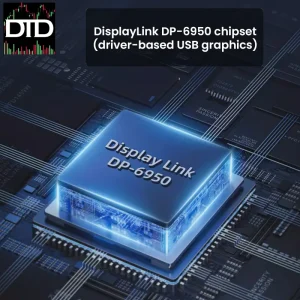
- DisplayLink chipset Uses the DisplayLink DP-6950 platform for extend or mirror modes
- Works across common OS setups Windows, macOS, and Linux support is possible with the DisplayLink driver
- Compact body Approx. 73 × 65 × 15 mm, easy to tuck behind a monitor or under a desk shelf
Why It Fits Trading Desks
This adapter is a practical way to build a multi-monitor workstation without changing your whole setup.
You can keep charts on one screen, order entry on another, and leave your main screen for your broker platform.
Here is a simple, real use case.
Two 27-inch screens at 4K, plus your laptop screen.
You get three work areas without moving windows all day.
If you already use a trading desk mount, you can keep the screens aligned and free up desk space.
It also works as a small expansion step toward a six screen mount plan.
You may not need six displays today.
This gives you two more outputs when you want more chart space.
Display Performance
Performance depends on your computer, USB bandwidth, cables, and the monitors you connect.
For best results, use a USB 3.0 port and good HDMI cables.
- Modes Extend and mirror modes supported for a clean multi-monitor workstation layout
- Resolution and refresh Up to dual 4K 60Hz or up to 2K 120Hz depending on your setup
- Practical note USB graphics can add a little delay on fast motion. For trading tools and productivity screens, it usually feels fine
Mac M1/M2 Notes
Some MacBook M1 and M2 models limit how many external displays you can extend.
This adapter uses DisplayLink to enable multi-screen setups, so you can run a broader desk layout even on those systems.
Compatibility Notes
This adapter needs the DisplayLink driver to work correctly.
Install the DisplayLink driver first, then connect the adapter, then connect your HDMI screens.
If your device only has USB-C ports, you will need a USB-C to USB-A adapter.
If you are unsure about your laptop or desktop, contact us before you order.
A quick check now can save you a return later.
Setup Tips
- Plug into a USB 3.0 port for the most stable results
- Use extend mode for the cleanest multi-monitor workstation layout
- If you run a trading desk mount, route the USB cable down the mount or behind the desk to keep the front edge clear
- If you use smaller screens, pair them with a portable monitor mount so both displays sit at the same height
Best Pairings From DayTradeDepot
- Desk arms and mounts Pair this adapter with a mount so your screens stay locked in place. Desk Arms and Mounts
- Cables that match your refresh target Use the right HDMI cable so you do not bottleneck your screens. Cables and Connectivity
- More display expansion options If you need a different output mix later, check the adapter section. Docks and Adapters
Specifications
- Host connection USB (USB 3.0 recommended)
- Video outputs 2 × HDMI
- Chipset platform DisplayLink DP-6950
- Body size approx. 73 × 65 × 15 mm
- Best use Add two screens to a multi-monitor workstation
What’s Included
- 1 × Nexhype USB to Dual HDMI Adapter
- 1 × Quick-start and driver install guidance
Missing info: USB cable type and length in the box, supported macOS versions, and whether HDR is supported.