
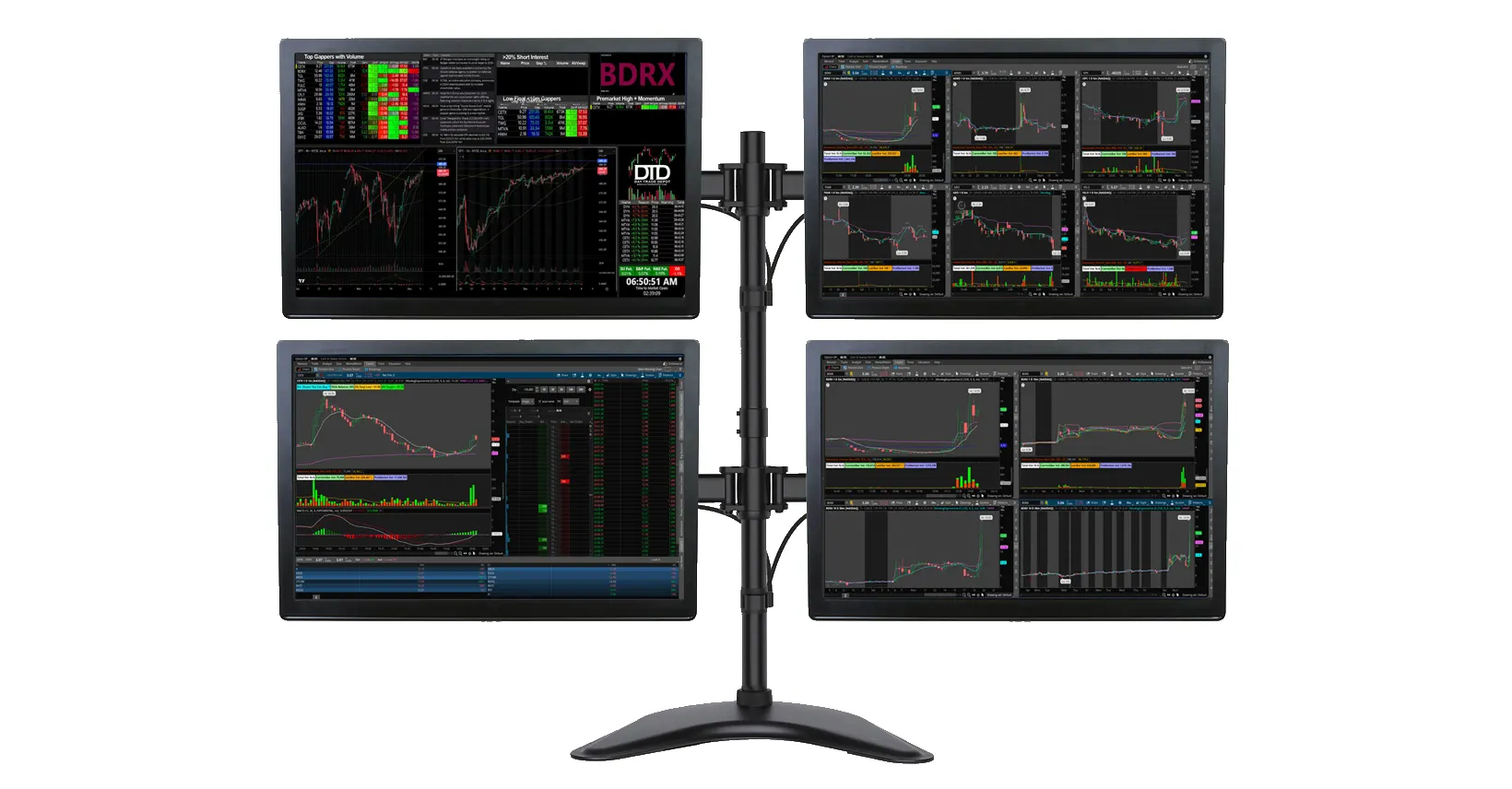
The best multi-monitor setup for day trading gives you enough screen space to work quickly, stay organized, and make clear decisions without turning your desk into a mess. You do not need a wall of screens to trade well. You need the right number of monitors, a layout that makes sense, and hardware that fits the way you actually trade.
When your setup is planned properly, you can keep order entry, charts, scanners, news, and watchlists visible at the same time. That saves time and helps you stay focused when the market is moving fast. A well-built multi-monitor workstation also makes your desk easier to use every day. It can reduce clutter, improve comfort, and help you stay in a better working position during long trading sessions.
If you are building or upgrading your desk, start by matching your setup to the right screens and monitors, the right desk arms and mounts, and the right docks and adapters. Then finish it with reliable cables and connectivity and practical accessories and gear.
The best screen count depends on your experience level, your strategy, and how much information you need to see at once. For most traders, the sweet spot is between two and four monitors. That gives you enough room to work efficiently without overwhelming your desk or your attention.
A two-monitor setup is the best place to start if you are new to trading. Use one screen for your trading platform and order entry. Use the second screen for charts, watchlists, or news. This gives you a clean, practical setup that is easy to manage and does not need a large desk.
This is also a strong choice if you trade from a laptop and want your first proper home setup. It is simple, affordable, and strong enough for many day traders.
A three-monitor setup gives you more flexibility. You can keep your main platform on one screen, your charts on another, and your scanners or news on the third. This works well for active traders who want more visibility without jumping straight into a larger four-screen layout.
A four-monitor setup is one of the best options for serious retail traders. It gives you a strong balance of screen space, workflow, and control. You can dedicate one screen to order entry, one to charts, one to scanners and watchlists, and one to news, market breadth, or a second chart layout.
If you want the best multi-monitor setup for day trading without going too far, four screens is often the best long-term target. It gives you enough working room while still keeping the layout manageable.
A six-monitor setup makes sense when you trade multiple stocks, track several timeframes, and want a more advanced workflow. This is where a proper six screen mount becomes useful. A strong six screen mount can keep the desk cleaner, hold your screens at eye level, and make the whole setup feel more stable and organized.
At this point, your desk strength, your screen weight, your graphics output, and your cable planning matter much more. The goal is not just to add more displays. The goal is to keep the entire setup efficient and easy to use.
An eight-monitor setup is only worth it if you have a clear reason for every screen. If you cannot explain exactly what each display will do, you probably do not need eight. More screens do not automatically improve results. They only help when each one has a defined job.
The best monitor size and resolution for day trading usually comes down to desk space and viewing distance. For most traders, 24-inch to 27-inch monitors are the easiest size to work with. They give you enough room for charts and platforms without taking over the desk.
If you go too small, your windows feel cramped. If you go too large, you may spend too much time turning your head instead of focusing on the market. That is why many trading desks work best with 24-inch screens for compact layouts and 27-inch screens for more spacious setups.
For resolution, 1080p is still fine for basic trading setups, especially on 24-inch displays. If you want sharper text, cleaner charts, and more usable workspace, 1440p is usually the better choice on 27-inch screens. A four-screen 1440p layout often feels cleaner than a four-screen 1080p layout because you can fit more useful information on each screen.
Match your monitor size to your desk depth. If your desk is shallow, large panels can feel too close and uncomfortable. If your desk is deeper, you have more room for larger screens and a better viewing angle.
The best trading setup is built around your desk, not just around your monitors. Before you buy anything, measure your desk width, depth, and desktop strength. This step helps you avoid expensive mistakes, weak layouts, and wobbly arms.
If you have a small desk, a two-screen or three-screen setup may be the smarter choice. If you have a wider desk with solid support, a four-screen or six-screen layout becomes much more realistic.
Keep your main displays directly in front of you. Put your most-used charts and order windows in the center. Place secondary tools on the outer screens. This reduces head movement and keeps the most important information in your natural line of sight.
A curved layout often feels better than a flat row of screens because it wraps the displays around your working position. This can make a larger multi-monitor workstation feel more natural and easier to use for several hours at a time.
You can build a strong trading setup with either a laptop or a desktop. The right choice depends on how many screens you want to run, whether you need portability, and whether you want easy upgrades later.
A laptop is a good option if you want flexibility or trade in more than one location. It also works well if you plan to use a dock and connect to two or three external displays. This is often the fastest way to build a compact setup without taking up too much space.
If you work from home and travel at times, a portable monitor mount can also help create a temporary side screen for a lighter setup. A portable monitor mount is useful when you want extra screen space without building a full desk in a second location.
Many traders also search for how to connect multiple monitors to a laptop for trading. The simple answer is that you need to check your laptop’s available outputs first, then match those outputs to the right dock, adapter, and monitor inputs before you buy.
A desktop is usually the better choice for larger four-screen, six-screen, or eight-screen layouts. It gives you better cooling, more upgrade options, and more graphics output choices. If you know you want a permanent trading station, a desktop will usually give you a stronger long-term base.
A good trading desk mount can make a bigger difference than most people expect. It frees up desk space, improves screen height, and keeps your monitors aligned. A strong trading desk mount can also make your setup feel cleaner, tighter, and easier to use every day.
A clamp mount attaches to the edge of the desk. It is easy to install and works well in many home offices. This is often the easiest option if your desk has a solid rear edge and enough thickness for the clamp to hold safely.
A grommet mount passes through a hole in the desk. It gives a very secure hold and is often a better option for heavier multi-screen layouts. This works well if your desk already has a cable hole or if you plan to create one.
A base plate mount sits on the desk surface. It can be useful when you cannot clamp to the desk and do not want to drill a hole. It is simple, but it uses more desk space than clamp or grommet options.
Before buying any arm or stand, check that your monitors support 75×75mm and 100×100mm mounting hole patterns. Also check the weight rating of the arm. This matters even more for larger displays, stacked layouts, and any six-screen build.
One of the most common mistakes is planning the screens before planning the connections. The best adapters and hubs for multi-monitor trading setups depend on how many displays your laptop or desktop can actually support and what outputs it already has.
If you use a laptop, you may need a dock or adapter to run multiple displays cleanly. If you use a desktop, you need to make sure the graphics card has enough outputs for the number of monitors you want to use. Always check this before you buy the screens.
Good planning here saves money and avoids the frustration of buying hardware that does not work together. This is why your connection plan should be decided at the same time as your monitor plan.
For cables, keep things simple and reliable. Use the shortest practical cable length that still allows clean routing. Good cable choice reduces clutter and lowers the chance of loose connections. If you are building a larger setup, cable planning should happen before everything is mounted, not after.
Stay away from mini HDMI cables where possible. They are easier to loosen, bend, and break than full-size HDMI cables. In a trading setup, that can lead to screen flicker, connection drops, or failed displays at the worst time. A standard full-size HDMI cable or another stronger connection is usually the better choice for a fixed desk setup.
Think about power as well. Multiple screens, a desktop, speakers, chargers, and desk accessories can add up quickly. Plan your power strip and cable path before you install the monitors so the final setup stays neat, safe, and easy to maintain.
Here is a realistic example for a trader building a four-screen setup on a medium-sized desk. The desk is 140cm wide and 70cm deep. The trader uses four 24-inch monitors. Two center screens are used for order entry and main charts. The left screen is used for a scanner and watchlist. The right screen is used for news and a market overview.
The trader uses a strong four-arm mount instead of four separate stands. That saves desk space and keeps all screens at a matched height. A dock or graphics card with four outputs handles the connections. Cables are routed down the arms and into a cable tray under the desk. This gives clear visibility, a cleaner desk, and enough room to trade actively without feeling cramped.
That is the kind of setup most traders should aim for before moving into a larger six-screen build. It gives you real working space without adding complexity you may not need yet.
The first mistake is buying too many screens too soon. More monitors only help when you already know what each screen is for.
The second mistake is ignoring the desk. A weak or shallow desk can ruin the whole setup, even if the monitors themselves are good.
The third mistake is choosing the wrong mount. A poor mount can create wobble, bad screen height, and a messy layout that becomes frustrating to use every day.
The fourth mistake is not checking compatibility. Always confirm your outputs, adapter support, screen weight, and mounting hole patterns before you buy.
The fifth mistake is forgetting comfort. Screens that are too high, too low, or too far apart can make long trading sessions uncomfortable and tiring.
The sixth mistake is using mini HDMI cables in a permanent desk setup. The smaller connector is less durable and can fail faster when there is cable tension or frequent movement. For a fixed trading desk, stronger full-size connections are usually the safer choice.
If you are new, start with two screens. If you trade actively, move to three or four. If you already know your workflow and need more dedicated screen space, move into a properly planned six-screen setup with the right arm, the right desk, and the right connection plan.
The best setup is not the one with the most monitors. It is the one that fits your desk, your hardware, and your trading style. Build for clarity first. Scale up only when you have a real reason to do it.
Start with the screen count you can actually use well. Choose the right mount. Match your displays, adapters, cables, and accessories to the layout you truly need. That is how you build the best multi-monitor setup for day trading without wasting money or desk space.
Most day traders do best with two to four monitors. That is usually enough screen space for order entry, charts, watchlists, scanners, and news without making the desk harder to manage.
A six-screen setup is worth it if you already know how you will use each screen and you trade enough information to justify it. If not, a four-screen setup is usually the better value and easier to manage.
Yes. You can day trade from a laptop with multiple monitors if the laptop supports the number of displays you want to run. In many cases, you will need the right dock or adapter to do it properly.
For most traders, 24-inch to 27-inch monitors are the best size. They give you strong usable screen space without taking over the desk or forcing too much head movement.
In most cases, yes. Monitor arms free up desk space, improve screen positioning, and make it easier to build a cleaner and more comfortable trading setup.
No. Mini HDMI cables are easier to loosen and break than full-size HDMI cables. For a fixed trading desk, stronger full-size connections are usually the better choice.
No. Mini HDMI cables are easier to loosen and break than full-size HDMI cables. For a fixed trading desk, stronger full-size connections are usually the better choice.